Background
We interact with computers in many different ways. I assume, most of you are very familiar with passing on the commands and your wishes to your computer using a keyboard, mouse, touchpad or touch-sensitive screen, and maybe there are some of you who enjoy giving orders to Cortana or Siri using speech recognition systems. The most common way to interact with personal computers is called a graphical user interface (GUI). The actions in a GUI are usually performed through direct manipulation of the graphical elements (e.g. by clicking a mouse on an icon, dragging a folder to a trach bin, etc.).
GUIs are very popular due to their steep learning curve (think about it, even my grandmother learned how to use Facebook and smartphone), but this comes with some drawbacks. GUIs are not ideal for delivering a complex set of tasks and instructions to a computer. Imagine that for one of your projects you have to merge more than a thousand different consensus sequences of mtDNA into one file. You might click and open each of those files and copy-paste fasta sequences from them to a new single file. This would take you hours, and you would be likely to make a mistake in this boring, tedious and repetitive task. Thus using a GUI, would not make our life easier, but rather complicated and frustrating. And this is why biologists must take a step outside of their comfort zone and learn how to take advantage of the command-line interface (CLI)! CLIs, in contrast to GUIs, require commands to be typed on a computer keyboard, they can allow us to automate and perform repetitive and boring tasks easily and fast by scripting. The software that handles the command-line interface is called shell, also commonly referred to as a command language interpreter. Strictly speaking, the term shell refers to any program that constitutes the user-interface, including fully graphically oriented ones, and command-line interpreters. However, most commonly this term is used to refer only to software that constitutes CLI.
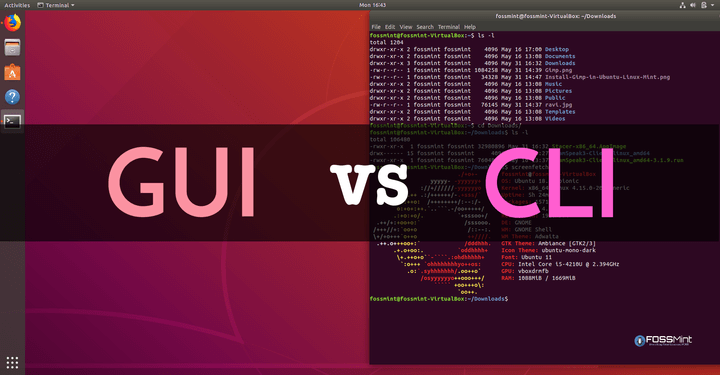
Operating systems (e.g. Unix) implement a command-line interface in a shell for interactive access to operating system functions or services. The most popular Unix shell is Bash which is the default shell on most modern implementations of Unix, and in most packages that provide Unix-like tools for Windows.
As we mentioned before using the shell requires some effort and time to learn. In contrast to a GUI that presents a menu like choices from which we can select the desired one, CLI choices are not automatically presented to us, and thus we have to learn commands and their calling syntax, and we have to understand concepts about the shell-specific scripting language. Learning commands is similar to learning vocabulary from a foreign language. The more words and grammar we know the better we would be in expressing our thoughts in a foreign language, the same applies to the programming languages.
The grammar of a shell allows us to combine multiple commands and existing tools into powerful pipelines and handle large volumes of data fast and automatically. Sequences of commands we can save as scripts, which are very useful for improving the reproducibility of workflows. Finally, the command-line is often the easiest way to interact with remote machines and supercomputers, just as we will be doing during this course.
During the next two days, we will get familiar with the Unix shell, which is both a command-line interface and a scripting language. We should get familiar with how it works and how to make the best use of it in our research. The Unix shell is the very basis for bioinformatics and many commonly used tools and programs rely on it to various extends. Using the shell, the beforehand mentioned task of merging fasta files can be accomplished in just a matter of seconds!
Now let's get started!